
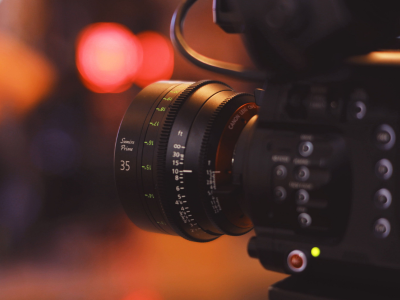
Cinema Cameras
Compare recording formats, dynamic range, monitoring tools and connections. Look at the complete rig, including lenses, power and media, when planning your kit.
Explore Cinema CamerasBlack Friday FREE Standard Shipping!
(Excludes express freight, bulk items and bulk orders.)


Build a setup that works for the stories you need to tell. Explore cameras, cinema lenses, lighting and production accessories, with practical advice for freelance filmmakers, corporate video teams and government communications teams.
Start with your delivery requirements, shooting conditions and crew size. Resolution is only one part of the decision.
Compare recording formats, dynamic range, monitoring tools and connections. Look at the complete rig, including lenses, power and media, when planning your kit.
Explore Cinema Cameras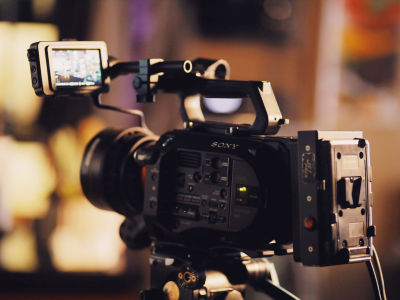
Explore integrated designs for events, interviews and field production. Check zoom range, audio inputs, low-light performance and long-session recording requirements.
Explore Video Cameras & Camcorders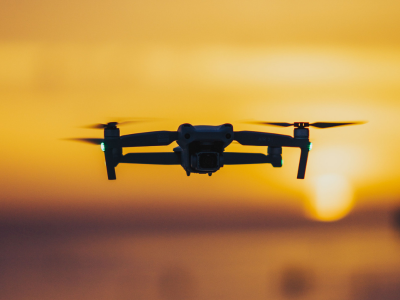
Add aerial perspectives, establishing shots and moving views to your production. Compare camera performance, recording formats, flight time and portability for the locations and footage you plan to capture.
Explore Drones
Explore Canon video cameras and compare lens mounts, recording formats and production connections.
Explore Canon
Explore Sony video cameras and compare body size, recording options and rigging requirements.
Explore Sony
Explore Blackmagic cinema cameras and plan the recording, media and post-production workflow around your chosen model.
Explore Blackmagic Design
Explore Nikon cinema cameras and check lens compatibility, recording options and workflow requirements.
Explore NikonBalance the look you want with the focus, framing and handling your shoot requires.
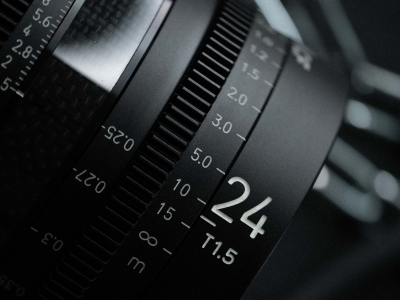
A wider lens can show a subject in their surroundings, while a longer lens helps isolate details. Camera position changes perspective; focal length changes the field of view from that position.
For repeatable manual focus, compare focus throw, gear positions and distance markings. Check focus breathing and whether a zoom maintains focus through its range. Matched cinema sets may offer consistent handling and colour, but these features vary.
T-stops describe measured light transmission. F-stops describe the aperture ratio. Both are useful, but they are not interchangeable measurements.
Photography lenses can also work well for video, particularly when autofocus, portability or shared stills and video use matter.
Check the individual lens mount and sensor coverage.
Browse All Cinema LensesOpen a topic for practical guidance you can use on your next shoot.
Choose your delivery frame rate first, then decide whether you need real-time footage or slow motion. Recording at 50fps and playing it at 25fps gives half-speed motion when the footage is conformed accordingly.
A 180° shutter is a common starting point: 25fps uses 1/50 second and 50fps uses 1/100 second. Shorter exposures make movement look crisper; longer exposures add blur.
On set: test your settings under the actual lights and screens. Flicker may require a different shutter setting, even when using a familiar frame rate.
Dynamic range describes the span between the darkest and brightest detail a camera can record. Light the scene and set exposure so the detail that matters stays within that range.
Use a waveform, zebras or false colour where available, rather than relying only on screen brightness. Exposure targets depend on the camera, picture profile and monitoring setup.
On set: an ND filter reduces incoming light so you can maintain your chosen shutter and aperture in bright conditions. Check filter size, density and any colour shifts.
Log is a way of encoding tonal information for a later colour workflow; it usually looks flat without a viewing transform. RAW stores sensor-derived image data for processing in compatible software. Neither guarantees a better result without suitable exposure and post-production.
A LUT maps input values to output values and may be used for viewing, technical conversion or a creative look. It must match the input colour space and gamma.
On set: confirm whether your LUT changes monitoring only or is being baked into the recording. For fast delivery, a suitable ready-to-use picture profile may be more practical.
A codec determines how video is encoded and compressed. Bit depth affects the number of tonal values available; 10-bit offers more gradation than 8-bit, which can be useful when grading.
Consider chroma sampling, compression, resolution and frame rate together. A format that looks attractive on paper may need more storage or be harder for your editing system to play.
On set: use manufacturer-approved media for the selected recording mode. Budget for card readers, transfer time, backups and proxy files where needed.
Sensor size and the active recording area affect your field of view with a given focal length. Some high-frame-rate or resolution modes use a cropped sensor area.
A lens needs the correct mount and an image circle large enough for the selected recording area. An adapter may change which electronic functions are available.
On set: check the exact camera, lens, adapter and recording mode together. Test autofocus, aperture control, stabilisation and edge coverage before the shoot.
Set white balance for the light on your subject and check tint as well as colour temperature. Mixed lighting can create colour differences that a single white-balance setting cannot remove.
For multiple cameras, align frame rates and picture profiles where practical, then use a grey card or colour chart as a reference. Matching settings does not guarantee identical colour between different models.
On set: record a reference under each lighting setup and avoid unintended automatic white-balance shifts during a take.
Start with the subject and the mood. One carefully controlled light can be more useful than several lights without a clear purpose.
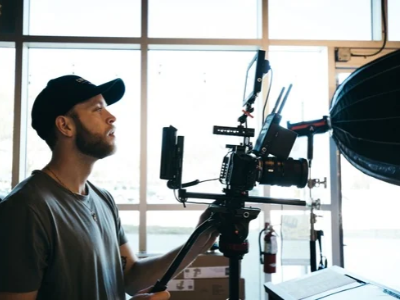
Place a soft key light to one side of the camera and slightly above your subject’s eye line. Adjust its position until the face has the shape and shadow you want.
Use a reflector or a second light to lift the shadows, or negative fill to deepen them. Separate the subject from the background through distance, tone or a carefully positioned background or edge light.
Check glasses, shiny skin and reflections in the room before recording. A background light is optional; add it only when it improves the image.
Explore Video & LED LightingMove the light around the subject and watch how shadows change. Side lighting can reveal shape, while light close to the camera axis tends to flatten it.
The apparent size of the source relative to the subject affects shadow softness. Diffusion and distance both matter; compare the result at the subject, not just the modifier size.
Use diffusion, grids, flags or negative fill to shape spill and contrast. Allow for the light output lost through modifiers.
Check mixed colour temperatures, flicker at your chosen settings and fan noise near microphones. Select fixtures and modifiers around the actual room and recording needs.
From freelance assignments and organisational communications to online content and creative filmmaking, build around the work you do. Use these setups as starting points and adapt them to your location, crew, budget and delivery requirements.
A portable setup for working independently and adapting quickly.
Planning priority: Prioritise quick setup and equipment you can operate confidently without a large crew.
A repeatable setup for clear speech, consistent pictures and efficient editing.
Planning priority: Keep framing, lighting and audio consistent across speakers and filming days.
A practical setup for public information videos, interviews and communications produced by different team members.
Planning priority: Confirm your organisation’s recording permissions, storage requirements, captioning and delivery brief before the shoot.
A setup planned for longer sessions and moments that cannot be repeated.
Planning priority: Test feed levels, recording duration and the complete setup before the audience arrives.
A flexible setup for talking-head videos, tutorials, reviews and demonstrations.
Planning priority: Build a setup you can repeat easily, and plan framing for both horizontal and vertical edits when required.
A consistent setup for conversations, remote audiences and longer recording sessions.
Planning priority: Test the complete signal path, audio sync and internet connection before going live, and plan a local recording where possible.
A creative setup for shaping mood, directing attention and telling a visual story.
Planning priority: Plan lighting, coverage and movement before choosing accessories. Include dialogue recording or music playback and synchronisation as the project requires.
A controlled setup for showing detail, materials and products clearly.
Planning priority: Test reflections, focus depth and colour on the actual product. Leave room in the framing for the required crops and graphics.
A mobile setup for changing conditions and moments that cannot be repeated.
Planning priority: Plan coverage of key moments, coordinate audio access and check your backup approach before the event begins.
Choose each accessory for a specific job, then check compatibility with the complete rig.
Add secure mounting points and improve handling. Check the exact camera fit, port access, mounting standards and total rig weight.
Explore Camera Cages & RigsSupport controlled moving shots. Check payload, camera-and-lens clearance, balance and any control-cable requirements.
Explore GimbalsMake framing and focus easier to assess. Compare brightness, exposure tools, connections and supported signal formats.
Explore Video MonitorsCreate steady frames and controlled pans or tilts. Match the head’s counterbalance range and load capacity to your rig.
Plan power for longer shoots and multiple accessories. Check voltage, connector polarity, output limits, mounting and charger compatibility.
Explore V-Mount BatteriesControl exposure while keeping your preferred shutter and aperture. Match the filter system to the lens and test for colour shifts or vignetting.
Explore Neutral Density FiltersShape your subject and background. Compare output with your chosen modifier, colour control, fan noise and available power.
Explore Video & LED LightingChoose a microphone and placement for clear speech. Compare lavalier, boom and on-camera options, plus wind protection for location work.
Explore MicrophonesListen throughout the take for clothing noise, interference, room noise or distortion. Check the recording itself as well as the live feed.
Explore Monitoring HeadphonesUse approved cards or drives for the recording mode. Include suitable readers and enough storage for verified copies before reusing media.
Plan HDMI or SDI, audio and power connections. Check connector types, supported signals, cable length and strain relief; carry tested spares.
Allow for diffusion, flags, suitable light stands, ballast and transport protection. Choose support that suits the equipment and filming location.
Browse by the job you need to do, from lighting a room to supporting and powering your camera.
Compare lighting options around output, control, modifiers and the power available on location.
Browse Lighting
Check screen visibility, exposure tools and signal compatibility. Recording functions and media requirements vary by model.
Browse Monitoring
Build around your camera body, accessory mounting points and cable access. Check each component’s fit and function.
Browse Cages & Rigging
Match the support to the total rig weight and the movement you need. Check the head, plate system and working height.
Browse Tripods & Support
Compare balance, payload, camera clearance and practical operating time with your chosen camera and lens.
Browse Gimbals & Movement
A brand name is a starting point. Check your exact camera, lens, monitor, power source and mounting hardware together before committing to a setup.
Use the shoot checklistUse your existing camera and a simple subject. Change one variable at a time so you can see what makes the difference.
Capture a wide shot, a medium shot and a close-up of the same action. Edit them together and assess whether the viewer can follow the story and direction of movement.
Film a locked-off shot and a slow, deliberate move of the same subject. Compare what the movement reveals and whether it helps communicate the scene.
Record a short clip using your intended picture profile. Import it into your editing software, apply the appropriate colour management and export a test in the client’s delivery format.
Explore selected cine cameras, video cameras and camcorders, and cinema lenses for professional productions.
Work through the essentials before the first take. These checkboxes are a temporary on-page checklist and reset when the page reloads.
No. Cinema cameras, camcorders and hybrid cameras can all produce professional results. Choose around the required recording format, operating conditions, audio, lens options and workflow. Lighting, sound and technique remain central to the result.
Compare the individual models rather than relying only on the category name. An integrated zoom and quick operation may suit one job, while interchangeable lenses, modular rigging or specific recording formats may suit another. Check the complete setup and the people who will operate it.
Not for every job. Cinema lenses may offer features useful for manual focus and coordinated lens changes, while photography lenses may suit autofocus, compact setups or shared stills and video work. Mount, coverage, handling and image character should guide the choice.
No. They can provide useful flexibility in a suitable post-production workflow, but require planning. For quick turnaround, a ready-to-use profile may be a better choice. Confirm what the editor or client can handle before filming.
Only when it helps you achieve the shot. A tripod, handheld approach or other support may be more appropriate. Plan the purpose of the movement first, then choose the equipment.
Some monitors are also recorders; others only display the incoming signal. Check the exact model, supported camera output, recording formats, firmware and media requirements before relying on external recording.
Prioritise clear speech, consistent lighting, dependable recording and an easy handover between operators. Agree on delivery and storage requirements, document the setup and include the full cost of support, media, power and accessories.
Audio monitoring, wind protection, suitable recording media, spare power, compatible cables and stable support are easy to overlook. Plan those alongside the camera and lens, and test the complete setup before a paid or time-critical shoot.
From freelance projects to interviews, training videos and organisational communications, explore equipment that supports your crew, your workflow and the finished result.
Whether you're planning a professional production, upgrading your equipment or purchasing for an organisation, our team is here to help.
Purchasing for a government department, school, university or other educational institution?
Contact our government sales specialists to discuss your equipment requirements or request a quote.
Email: govsales@digitalcamerawarehouse.com.au
Phone: 1300 365 220
Freelance filmmaker, content creator, production company or enthusiast?
Need help selecting cameras, lenses or production accessories? Contact our team for product information and assistance.
Email: info@digitalcamerawarehouse.com.au
Phone: 1300 365 220
Visit us: 174 Canterbury Road, Canterbury NSW 2193


